
Classes and pupils
A class belongs to a school, has one or more teachers, and holds its pupils. Teachers usually create their classes and register their pupils in the app, and the dashboard shows them after the next sync.
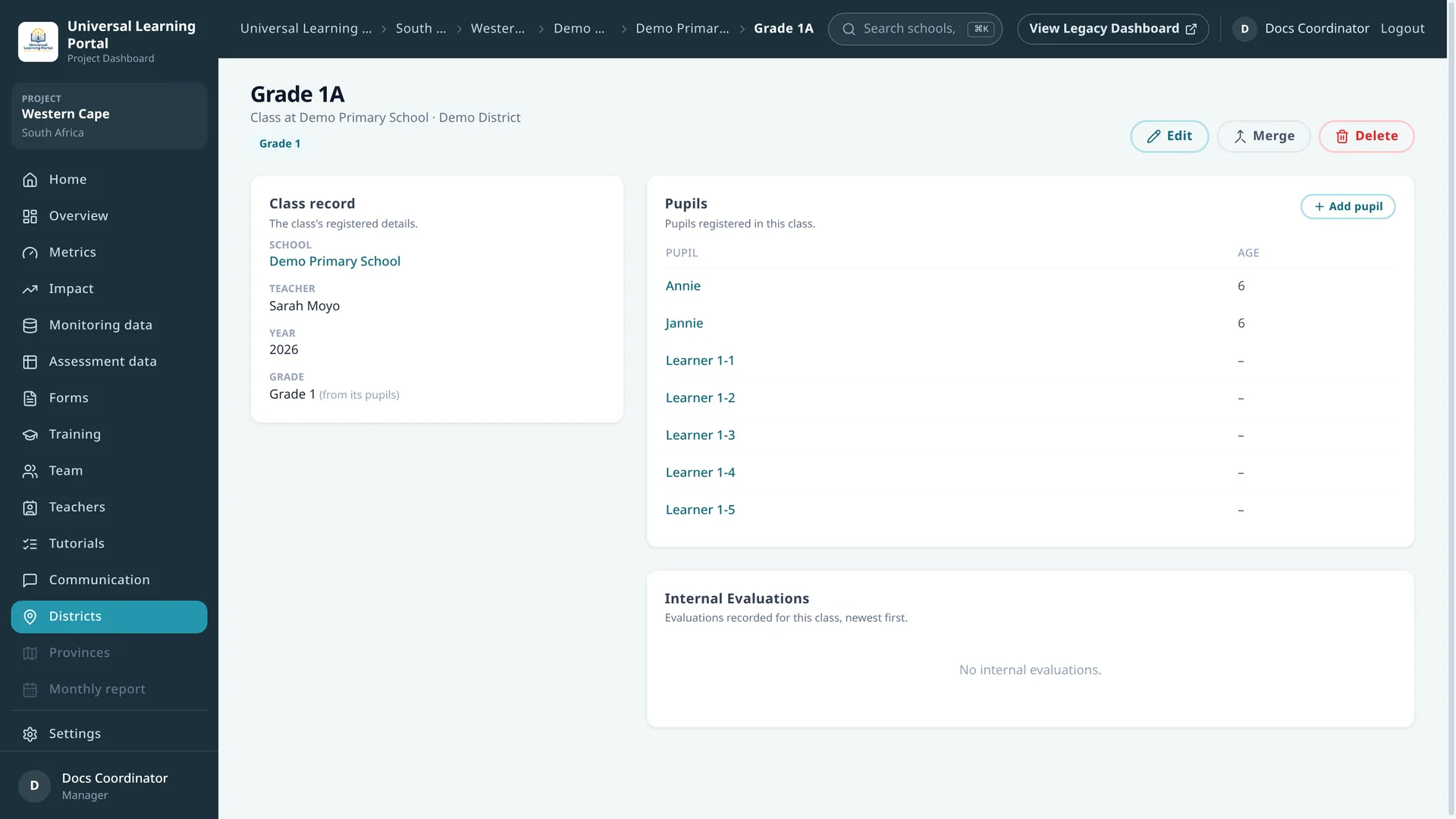
The Class page
Section titled “The Class page”Opening a class shows:
- Class record: its school, its teachers, its year, its grades and its LOLT, the language of learning and teaching. When the class size has been recorded, Total learners shows it next to the number of pupils registered, so you can see how many are still to be added.
- Pupils: the pupils in the class, with Add pupil (administrators) to add one.
- Internal Evaluations: the assessment rounds run for that class.
Grades and LOLT
Section titled “Grades and LOLT”The grades and the LOLT are shown under the class name and in the class record. Until somebody sets them, the dashboard works them out from the class’s pupils, and for the LOLT from its teacher too, and says so next to the value, for example (from its pupils).
Teachers set them in the app, when they create the class or later with Edit Class Details. See Classes and pupils in the teachers’ guide.
Editing a class
Section titled “Editing a class”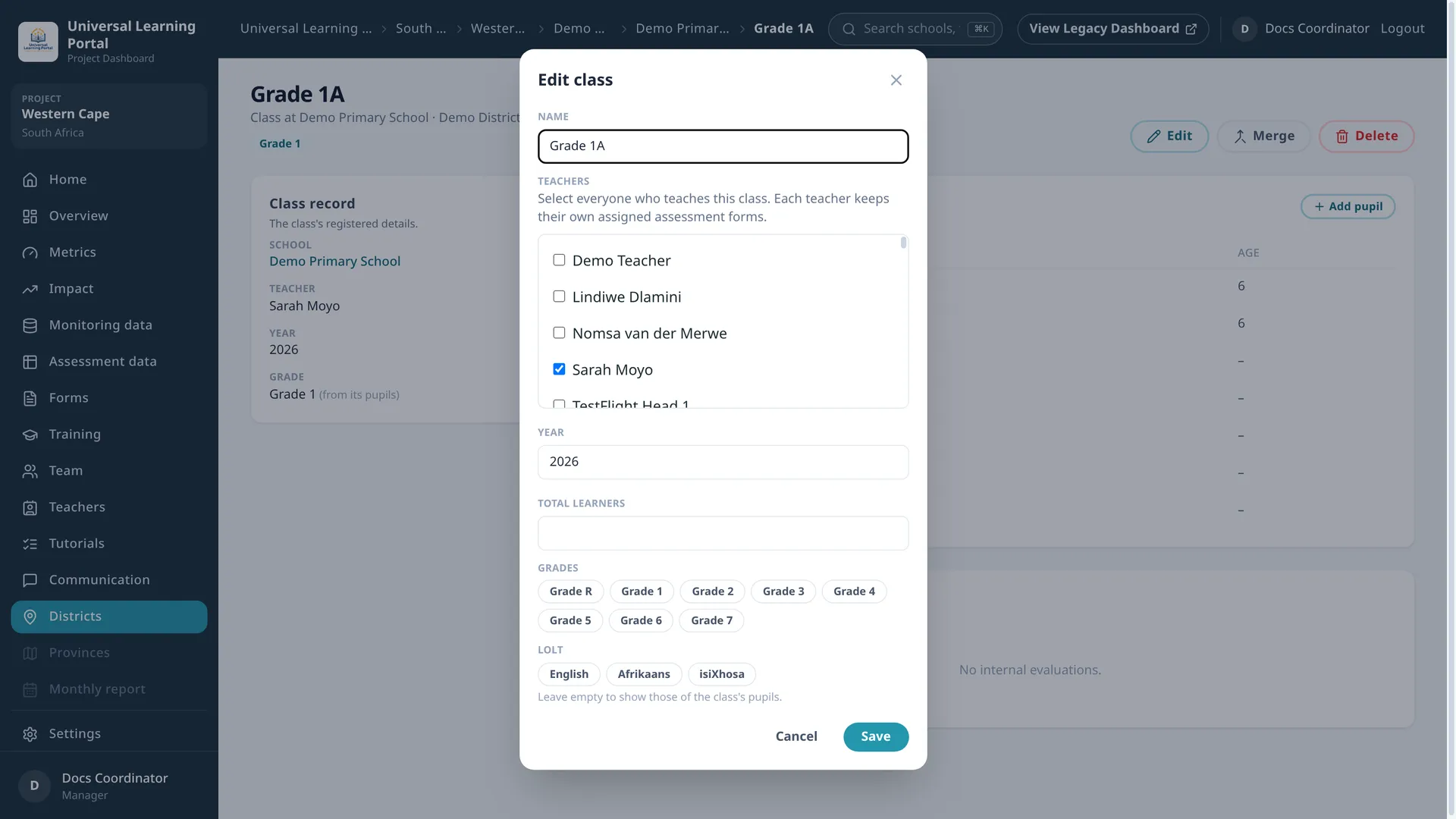
Edit holds the class Name, its Teachers, its Year, its Total learners, its Grades and its LOLT:
- A class can have more than one teacher: tick everyone who teaches it. Each of them keeps their own assigned assessment forms.
- Choose one grade, or several for a multi-grade class.
- Choose the language or languages. Left empty, the class shows those of its pupils.
Merge is for when the same class was recorded twice, and Delete removes the class. These actions are there for managers and project staff, and a teacher signed in to the dashboard has them on their own classes too.
The Pupil page
Section titled “The Pupil page”A pupil’s page, opened from the class’s Pupils list, shows their record and the assessments taken for them over time.
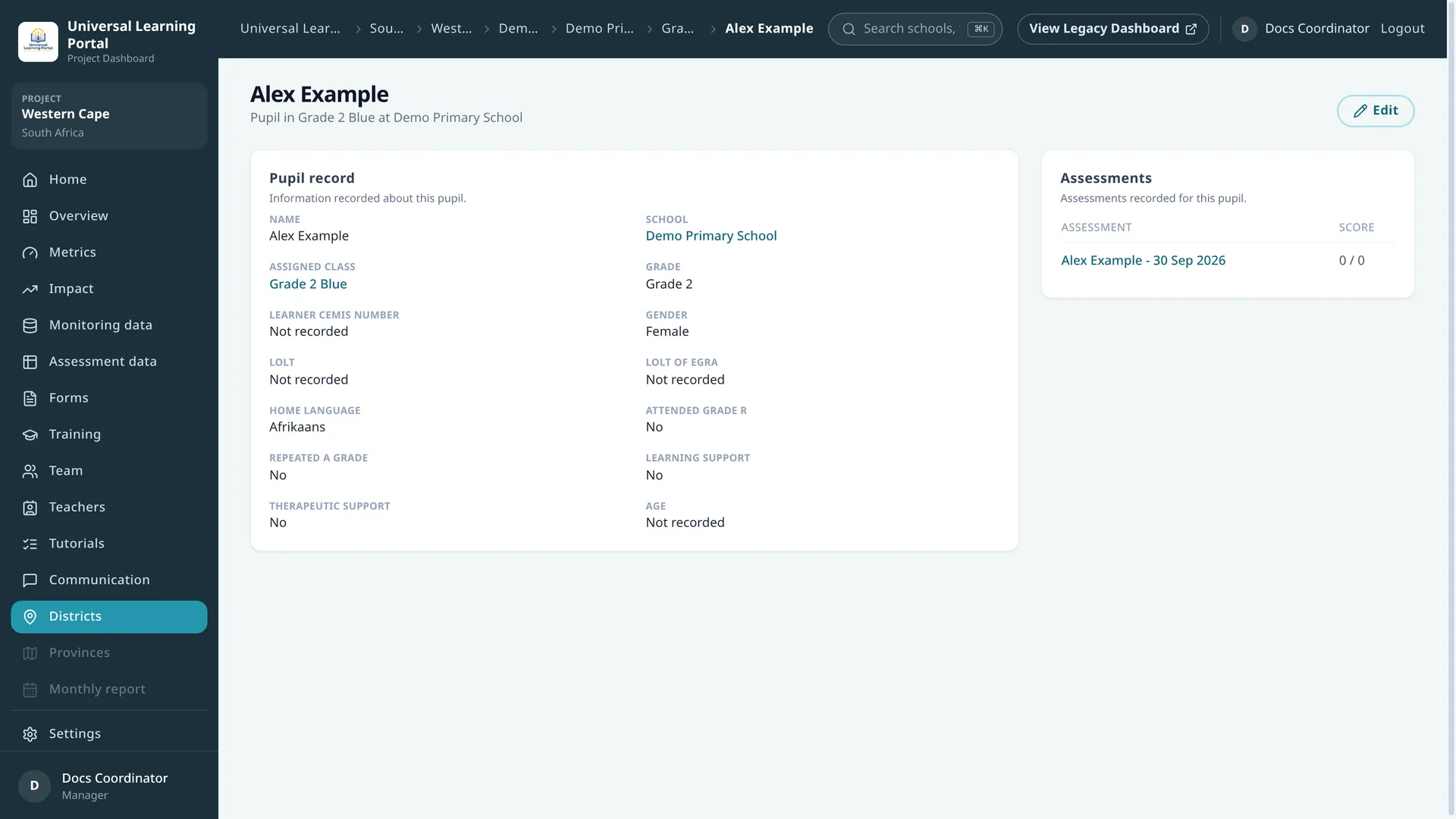
The Pupil record starts with the name, the school and the assigned class, and goes on with the whole learner profile: grade, CEMIS number, gender, LOLT, LOLT of EGRA, home language, whether the learner attended Grade R or repeated a grade, learning support, therapeutic support and age. A detail nobody has filled in reads Not recorded.
Assessments lists every assessment taken for the pupil, with its score. Each one opens its own page.
Managers and project staff have Edit, for the name and the age, and Delete, which is only offered while the pupil has no assessments.
Adding classes
Section titled “Adding classes”Classes can also be added from the school page, where the Classes table has Add class (administrators), with the same choices of grades and LOLT.